 Pebble
Track a walk from start to memory
Walks are the everyday ritual that most defines life with a dog. Pebble records them without you thinking about it — you press start, put your phone away, and later you've got a route on a map, a distance, a duration and a step count, all filed neatly into a history you can actually enjoy scrolling through.
1. Allow location — once
The first time you tap Start walk, iOS asks whether Pebble can use your location. Choose Allow While Using App — that's all we need. Location is only used while a walk is active; the rest of the time Pebble doesn't touch it.
2. Start a walk
Open the Walks tab and tap Start walk. If you have more than one dog, pick who's coming — you can select several at once for household walks and each dog's totals get the mileage.
Once started, Pebble draws your route on a map as you go and shows the live distance and duration at the top. You can lock your phone, put it in your pocket, and keep walking — recording continues in the background.
3. Stop and save
Back home, tap the pebble banner at the top of any screen (or reopen the Walks tab) and press Stop. Pebble saves the walk, closes the recording, and drops it into your history.
4. Relive it later
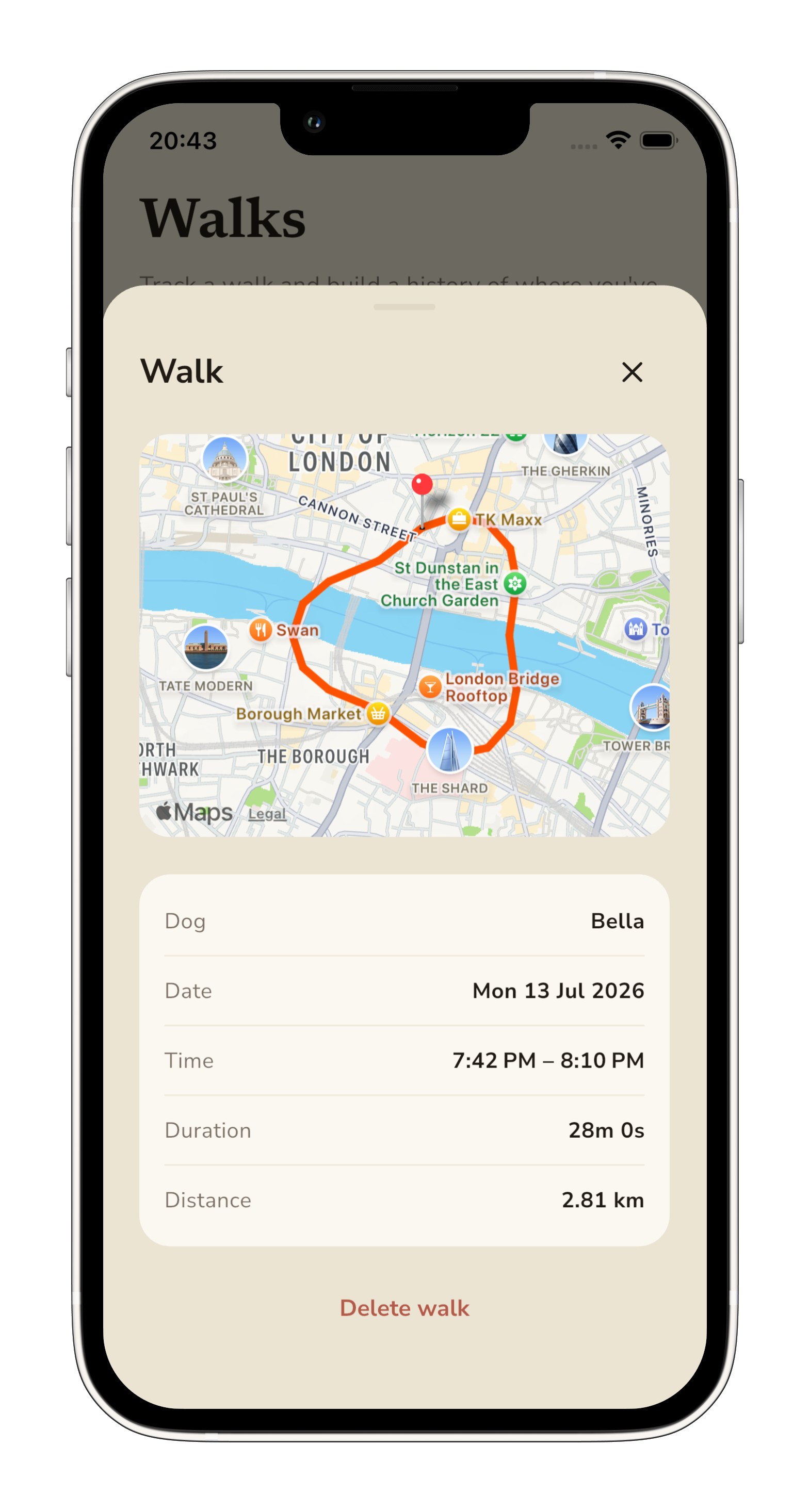
Tap any walk in the History list to open its detail view — the whole route on a map, plus dog, date, time, duration, distance and step count. This is the bit that quietly gets addictive: seeing your favourite loops appear again and again as the seasons change.
5. Watch your weekly totals grow
The top of the Walks tab shows a snapshot: today's kilometres, this week's total, and a chart of the last seven days. It's a gentle nudge to keep going — the streak matters more than any single walk.

What to do next
- Add a walk reminder — a daily evening prompt that fits your routine. See the Reminders guide.
- Write a diary entry for a memorable walk — the first swim, the sunset lap, the surprise fox in the field.
- Add another dog and multi-dog walks work out of the box.